
Download the Citrix Workspace App
Citrix Workspace app is the easy-to-install client software that provides seamless secure access to everything you need to get work done.
BY USE CASE
Let employees work how, when, and where they want with the power to manage every app, device, and platform in one central location with the Citrix® platform. Citrix Endpoint Management is the ideal solution for customers where security and compliance are a top priority. With this solution, you manage and control all infrastructure and it includes over 300 policies for additional security and advanced mobile device management compliance for context-aware security.
In addition, with Citrix Endpoint Management cloud or on-premises, you get all the same features and can manage devices from anywhere.
No matter where your resources are hosted, the Citrix platform has solutions that can manage your endpoints. That way, your employees can have access to the right resources, at the right time.
Increase productivity while reducing support calls. Citrix maintains infrastructure, scaling, monitoring, and delivery for you, reducing the burden on IT and delivering updates faster. Automatic updates mean your users have instant access to new features and bug fixes.
You know where the best place to host your company resources is. That’s why the Citrix platform supports both on-premises and cloud environments. However, if now is the right time for you to move to the cloud, Citrix offers a migration service that enables you to move your on-prem deployment to the cloud without impacting your users.
Citrix maintains a 99.9% uptime SLA, so your workforce stays connected. We also offload upgrades and operational management tasks, reducing IT time spent on operations.

Deliver any resource to any device with the best user experiences
Adapt access based on device posture and risk factors, without compromising on user experience
Elevate the user experience when delivering virtual apps and desktops, even over challenging networks
Whatever device your employees choose, we support it
Seamlessly integrate and manage devices across today’s leading platforms—all in one place
With so many Android devices available, you need a solution that will help you easily manage them all, whether they’re employee- or company-owned. Citrix together with Android Enterprise is the best way to deliver great mobile experiences while protecting company information and meeting compliance requirements. This includes Android on Google devices and support for Samsung Knox on mobile devices.
With Citrix Endpoint Management, you get comprehensive mobile device, app, and data management for Apple iOS, macOS, and iPadOS devices. Improve productivity, give people easy access to apps, and keep your data secure.
With Citrix Endpoint Management Windows 10/11 instant compatibility, you can take advantage of Unified Endpoint Management capabilities to enroll, secure, and manage Windows 10/11 desktops, laptops, and tablets.
OTHER SOLUTIONS
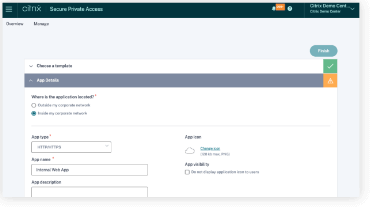
Deliver zero trust application access to all IT-sanctioned apps without a VPN.
Learn from experts, gain insight from fellow users, and contribute to knowledge on Citrix technologies and integrations for more successful Citrix deployments.