


Troubleshooting the Federated Authentication Service
We have had many customers shifting toward modern (usually SAML-based) authentication methods to secure access to their Citrix environments. This could include services such as Azure AD, Okta, Ping Federate, and others and often gives users a wider range of second/third/etc. factor options (text, call, PIN) than a traditional token.
This presents an inherent technical challenge, however, because now the Citrix Gateway and StoreFront server no longer have the user’s username and password — they have an SAML token. The SAML token cannot be passed directly back to the VDA for logon (Windows operating systems generally only accept username/password, Kerberos, or certificates as authentication methods). That means we are prompting the users for their credentials — and not providing an optimal user experience.
Federated Authentication Service
Enter the Federated Authentication Service (FAS), which integrates with StoreFront and the VDA to effectively swap that SAML token out for a user certificate. That certificate is inserted as part of the session-launch process to be used for authentication instead, thus achieving SSO to the VDA and avoiding additional authentication prompts being presented to the user.
While there is a good amount of information available in eDocs regarding how to install and set up FAS for the first time, I have had several customers struggle with how to troubleshoot this new component if issues do arise as this is a relatively new product (released with XenDesktop 7.9). This post is designed to walk you through a few common error scenarios to show where to begin and what certain combinations of events likely mean.
FAS Error Types
Generally, errors relating to FAS fall into two buckets:
- Launch errors — These mean the application or desktop fails to start from StoreFront.
- VDA SSO errors — These mean the session starts but Windows logon to the VDA fails.
Note that I have not included StoreFront authentication errors because FAS is not integrated with the StoreFront authentication processes, which is a common misconception. If you are seeing authentication failures to StoreFront, troubleshoot those separately. FAS only really comes into play during session launch. Therefore, without further ado, let’s dive in to the error types.
Launch Errors
The most common launch error you will see from StoreFront (regardless of whether FAS is in use) is the generic “Cannot start app” message that looks like the below:
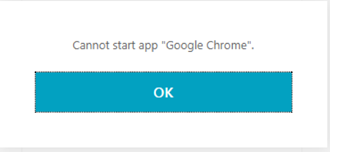
Always, always, always start with the StoreFront Delivery Services event log if you see this error from StoreFront because it means that there is a brokering issue, which almost always shows up in the StoreFront event log. Some sample scenarios include:
If And Then are no are
VDA SSO Errors
If the application or desktop launches, but SSO fails, then everything should be working between StoreFront and FAS and we need to investigate other components in the process, including the VDA and Domain Controllers. Usually I start the investigation for these types of errors on the VDA itself. Some sample scenarios include:
If And Then
In Summary
The six different scenarios we’ve covered should give you some ideas for how to go about troubleshooting any issues that you might see with setting up your FAS deployment. Remember that the StoreFront Delivery Services event log, the Application log on the FAS servers, and the Security log on the VDA are your friends in these cases. Good luck out there!
Citrix Tech Bytes – Created by Citrix Experts, made for Citrix Technologists! Learn from passionate Citrix Experts and gain technical insights into the latest Citrix Technologies.
Click here for more Tech Bytes and subscribe.
Want specific Tech Bytes? Let us know! tech-content-feedback@citrix.com.
