
Presentation Virtualization
How it works
To virtualize server-based applications, Citrix XenApp abstracts the user interface (logical layer) from the application processing (physical layer) that occurs on a centralized, secured server. This technology is ideal for delivering client/server applications because it eliminates the complexities of deploying, managing, updating and securing a vast array of client software on each individual users access device. Instead, a single instance of the client application is installed on XenApp within the secure confines of the datacenter. The application executes entirely on the server, while its interface is displayed on the users device. Application delivery can be enabled for any user, regardless of device, network or location.
![]() |
Presentation virtualization abstracts the user interface
from the application logic
XenApp delivers applications to users through the Independent Computing Architecture (ICA®), a presentation-layer protocol by which servers and client devices exchange data in a server environment to separate an applications logic from its user interface. In addition to the ICA protocol, XenApp also supports the Microsoft Terminal Services Remote Desktop Protocol (RDP).
As an application runs on a server, XenApp intercepts the applications display data and uses the ICA protocol to send this data to the ICA client software running on the users device, increasing application performance. The ICA protocol encrypts and transports an applications interface from the server it is running on to the users client device for display. It then returns the users input, mouse-clicks and keystrokes, to the application on the server.
![]() |
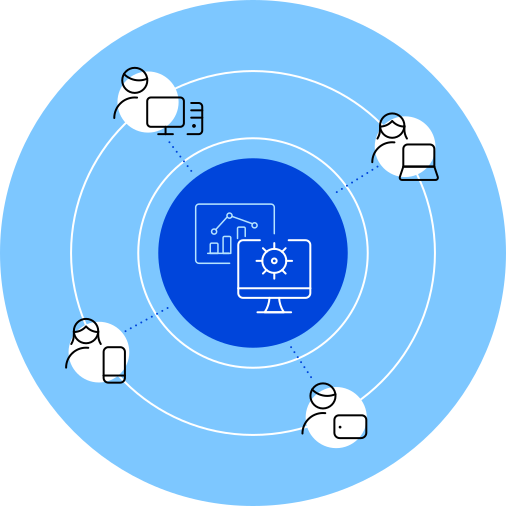
A centralized architecture for servers simplifies management and provides users with remote application access
All applications are stored in the Application Hub, and the application user interface (UI) is delivered to the user virtually by passing only screen pixels, keystrokes and mouse actions between the client and server over the network. This is done without the need for pushing actual data or software, increasing securityespecially for users connecting from outside the organizations network.
Presentation virtualization technology, which enables both client and server components running together in the datacenter, typically results in less bandwidth use and faster application performance. During this process, 100% of the applications logic (for both client and server components) executes on the server and, regardless of whether it is Windows, UNIX, Java or Web-based, the application can now be accessed from any device or location over any network.
With XenApp presentation virtualization technology, users access applications running on the server the same way they would if the applications were running on the local device (e.g., through desktop icons or the start menu) making this process transparent. Meanwhile, IT administrators benefit from a far more cost-effective, easy-to-manage and secure method for deploying and managing business applications.
Act Now
Dig Deeper
Socialize
Explore
Learn More
-
Stay up to date with the Citrix News RSS feed
Get notified when the latest news is posted on Citrix.com. Subscribe to the Citrix news RSS feed, now!
-
Stay up to date with the Citrix News RSS feed
Case Study
- Huizhou Mobile
“Citrix XenApp has enabled Huizhou Mobile to install intelligent terminals in its business offices and other locations in all counties and districts of Huizhou, which provide a competitive advantage while reducing costs through self-service.”
- Huizhou Mobile
Events
News